
Levelling up your connection: Guide for gamers
When it comes to online gaming, your broadband connection can be the difference between victory and defeat. Lag, high ping, and connection drop outs are every gamer’s worst nightmare but the good news is that they’re usually fixable. Let’s take a look at the kind of speeds you actually need to keep your gameplay smooth and competitive.
What speed do you need for gaming?
The ideal speed depends on the type of games you play and how many people (or devices) are using your broadband at the same time. Generally, a faster connection gives you a more stable, responsive experience but you don’t necessarily need lightning-fast speeds to get started.
For casual gaming, a speed of around 300 Mbps should be more than enough. But if you’ve got multiple gamers in the house or you’re into fast-paced competitive games, aim for 900 Mbps or more. This will keep your connection smooth and uninterrupted, even when others are online at the same time.
What else matters?
While speed is important, it’s not the only factor that creates a strong connection. Keep an eye on these too:
- Upload speed – How fast your data moves from your device to the internet. Aim for at least 25 Mbps.
- Ping – This measures the delay between your device and the game server. A ping of 40 or lower is great for gaming.
- Bandwidth – If multiple devices are streaming, downloading, or gaming simultaneously, a higher bandwidth helps keep everything running smoothly.
A well-balanced connection with fast speeds and low ping will give you the best chance of lag-free gaming.
Not sure how fast your broadband is?
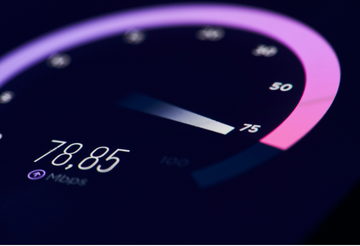
It’s easy to find out. Use this free speed checker to measure your download and upload speeds, and ping. It’ll give you a clear picture of how well your setup supports gaming.
Easy ways to improve your connection
- Restart your router – A quick reboot can often refresh your connection and fix temporary slowdowns.
- Move closer to your router – WiFi signals can be weakened by distance and walls. Getting closer helps to strengthen your connection.
- Close background apps – Apps or downloads running behind the scenes can slow down your broadband. Close them before you start gaming to keep your connection fast and smooth.
- Use a wired connection – An Ethernet cable, which runs directly from your router to your device, offers more stability and faster speeds than WiFi.
Thinking about an upgrade?
If you’ve tried everything but your connection still isn’t up to scratch, it may be time to consider a broadband upgrade. A faster, more reliable package can significantly improve your gaming experience, especially if you share your connection with others.
Enter your postcode into our national availability checker to explore all the packages available at your address.
We also offer 24/7 tech support for just £3 a month, so even if you’re gaming at midnight on a Sunday, you’ll have peace of mind knowing our expert team is always ready to help.